This blog was last updated on January 26, 2026.
In this tutorial series, we will learn about how to open an account with Alpaca and fund it directly.
In this tutorial series, you’ll learn how to open an Alpaca’s Trading API account and fund it directly.
Alpaca’s Trading API offers a simple, modern interface for trading stocks, ETFs, options, and crypto. It supports both individual and business accounts and is built for retail traders, algorithmic traders, and proprietary trading firms.
Aside from using the API for algorithmic trading, Alpaca account gives you access to a versatile trading ecosystem:
- Trade on TradingView: You can link your account to trade stocks, crypto, and multi-leg options directly from their charts.
- Use the MCP Server: This lets you pull and analyze market data, build strategies, and place trades using plain English inside your LLMs or IDEs.
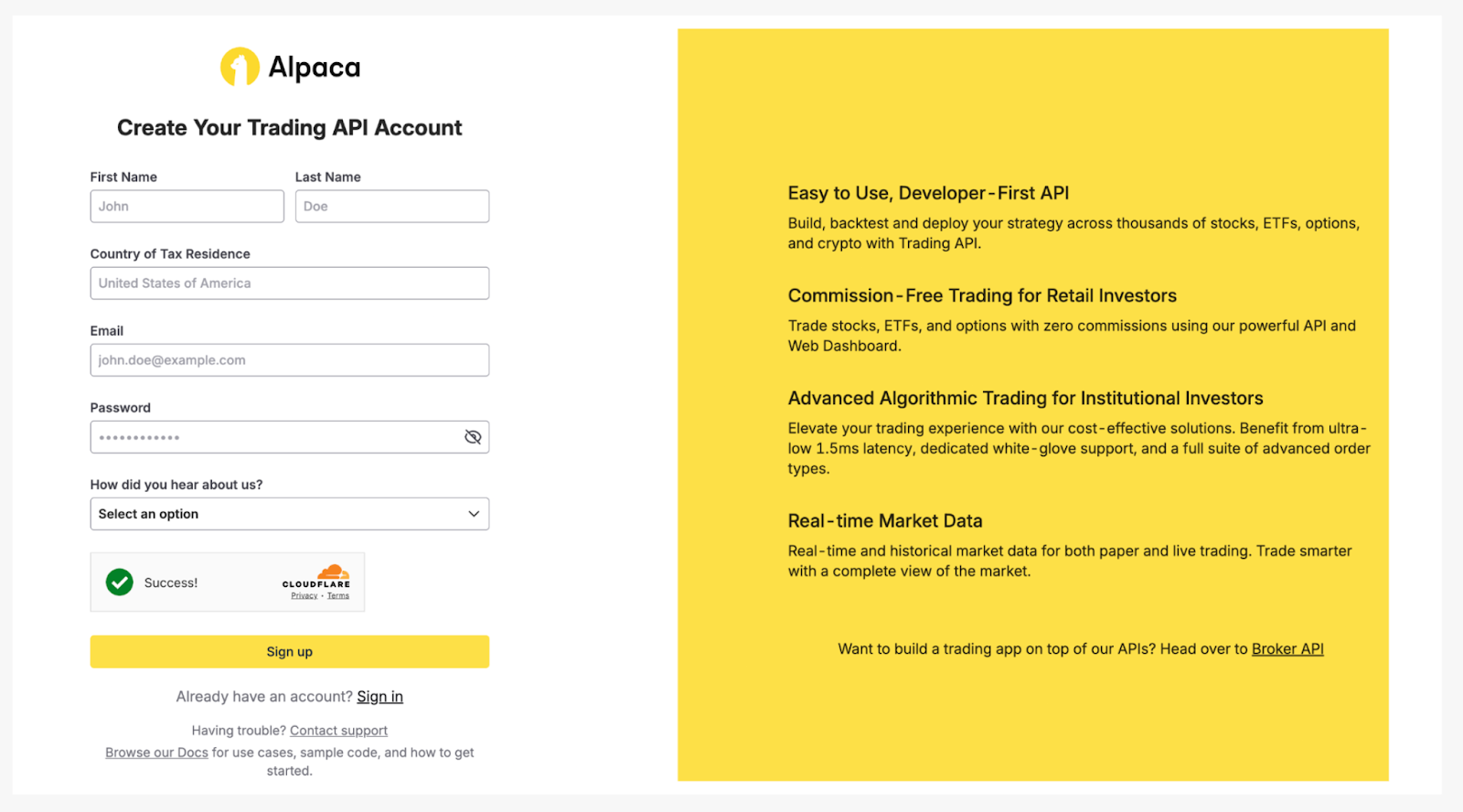
Step 2: Confirm Email and Activate Multi-Factor Authentication (MFA)
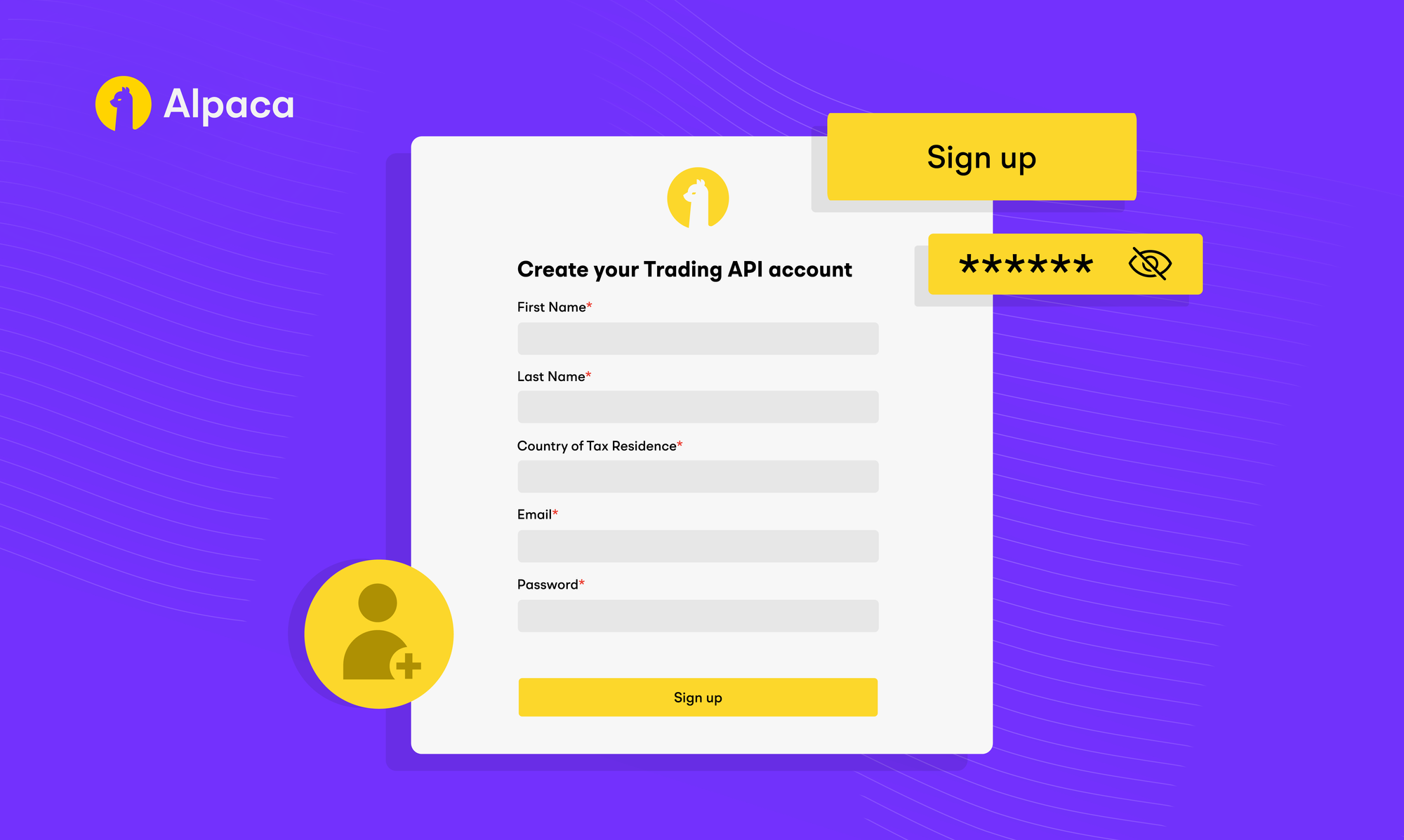
After clicking on the signup button, you should receive the account verification email. Click “Confirm Email” and it should take you to a paper account page.
Enter the email that you want to sign up with and a password that you’ll remember. After signing up, you should receive an email that requires a confirmation from your side.
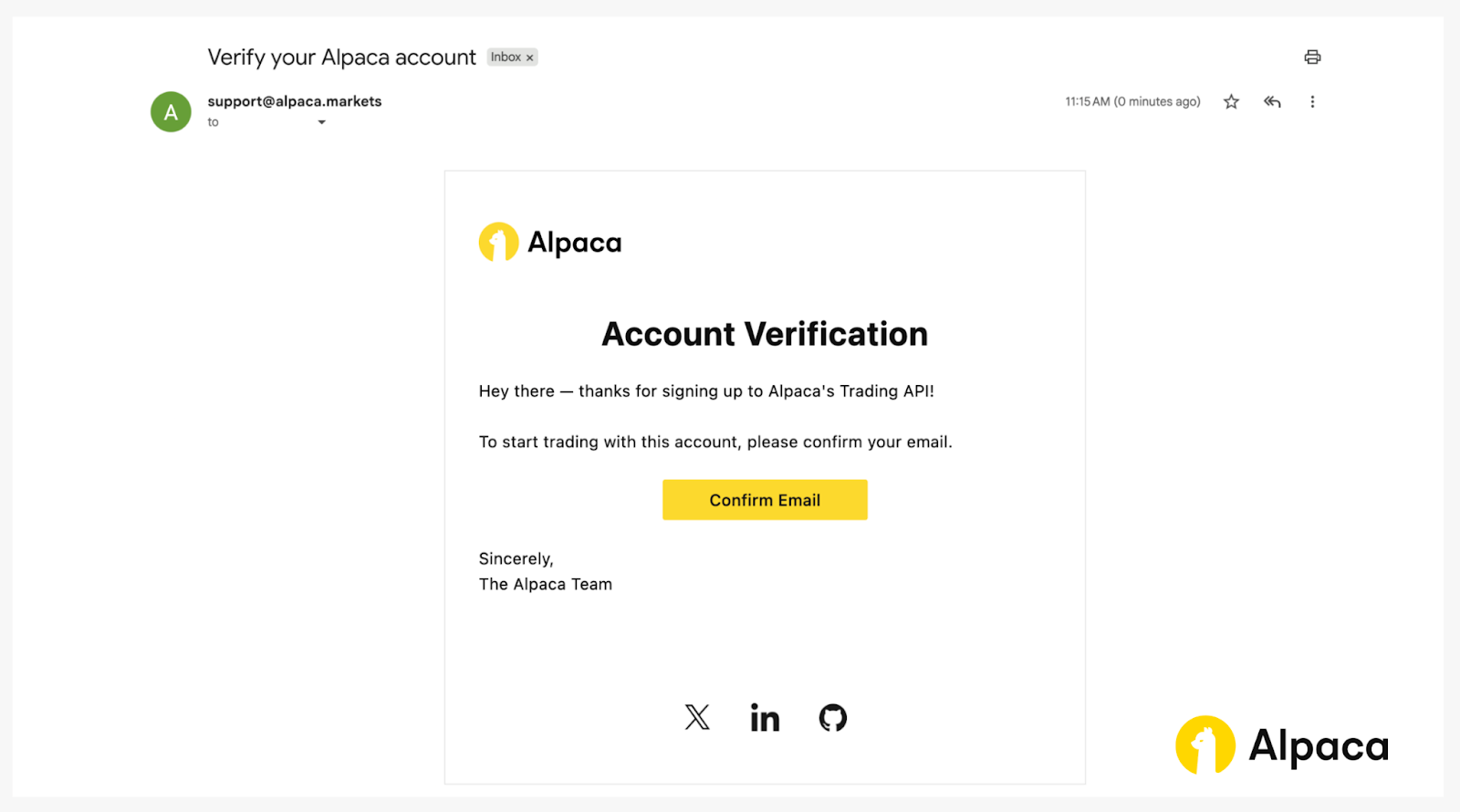
Before you can begin using Alpaca’s Trading API (paper or live), you must set up MFA for account security. Click the “Activate” button to complete the setup process.
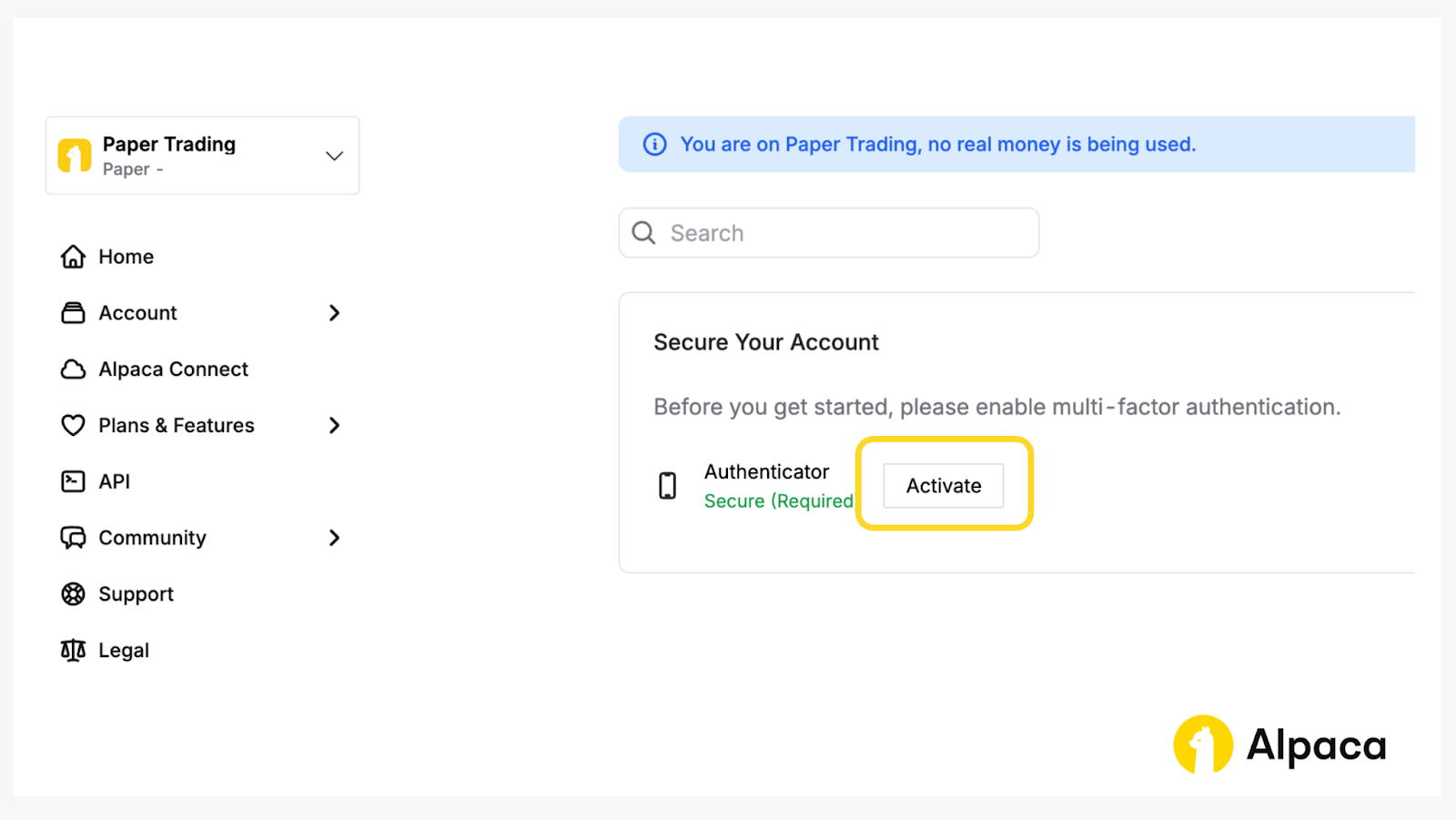
Step 3: Apply for Live Trading
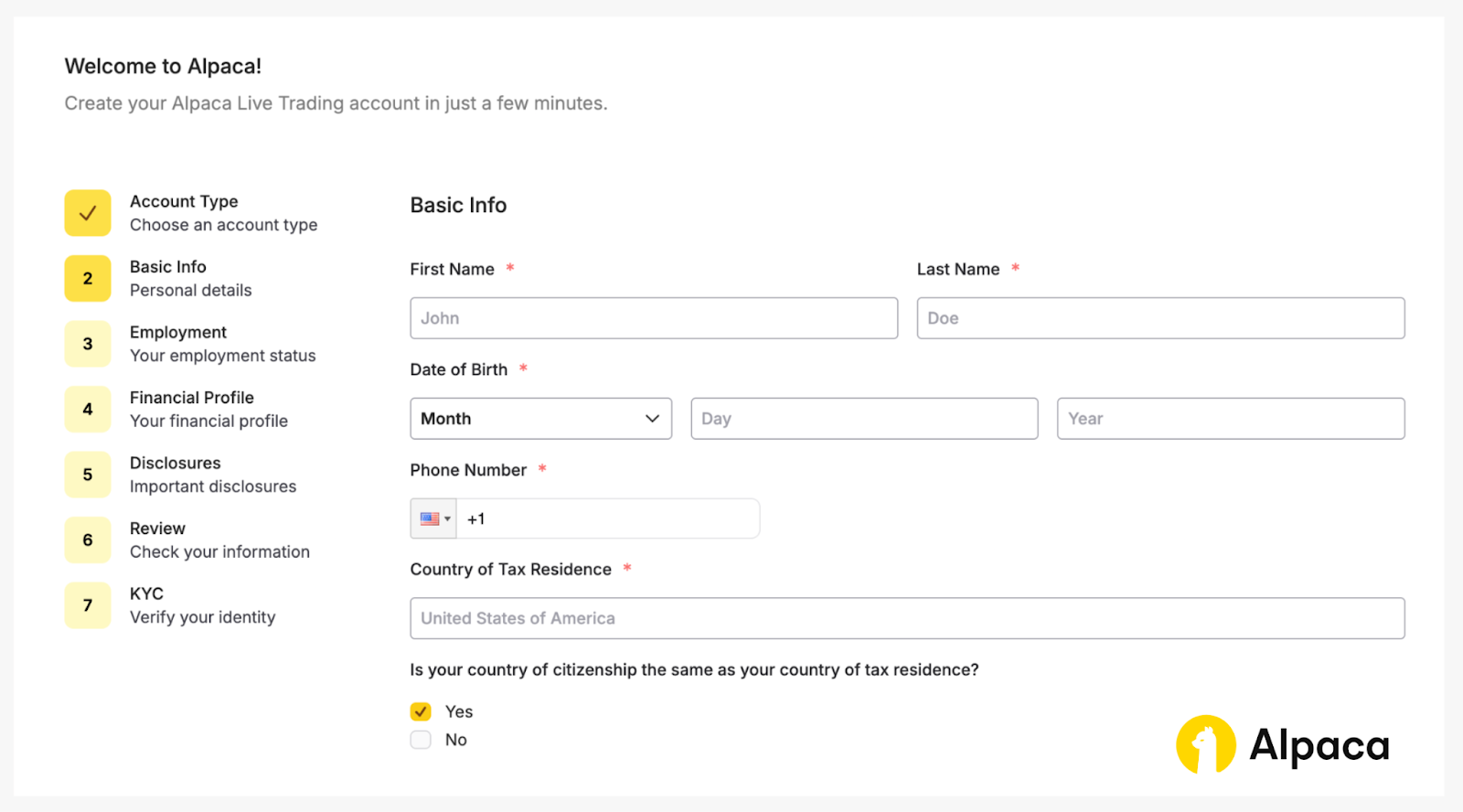
After successfully activating MFA, you can choose an account type and proceed with the application for a live trading account.
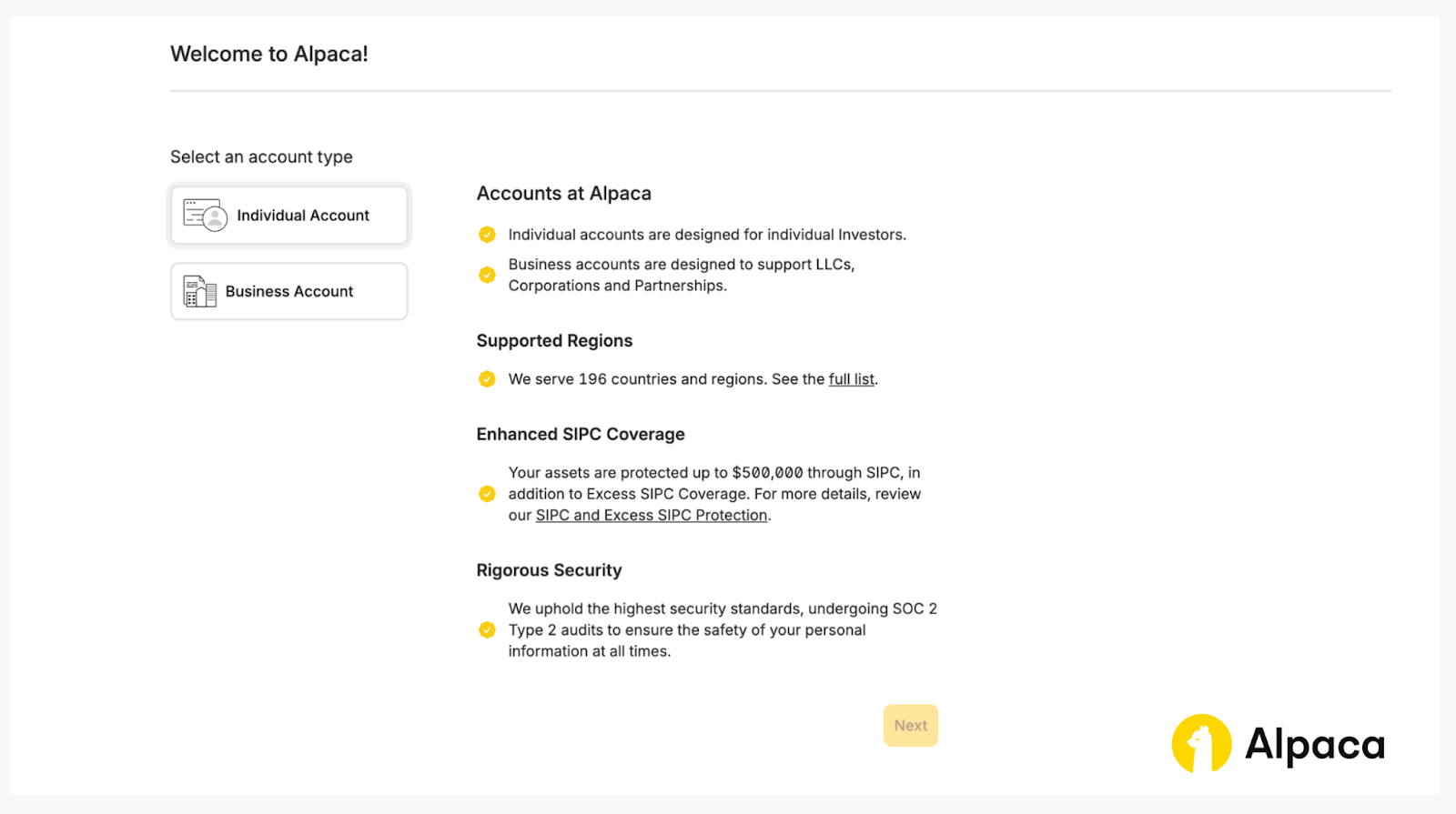
You will need to fill out your personal information and provide a valid, government-issued ID to verify your identity. Alpaca will review your application and notify you once it is approved.
Step 4: Funding Your Live Account
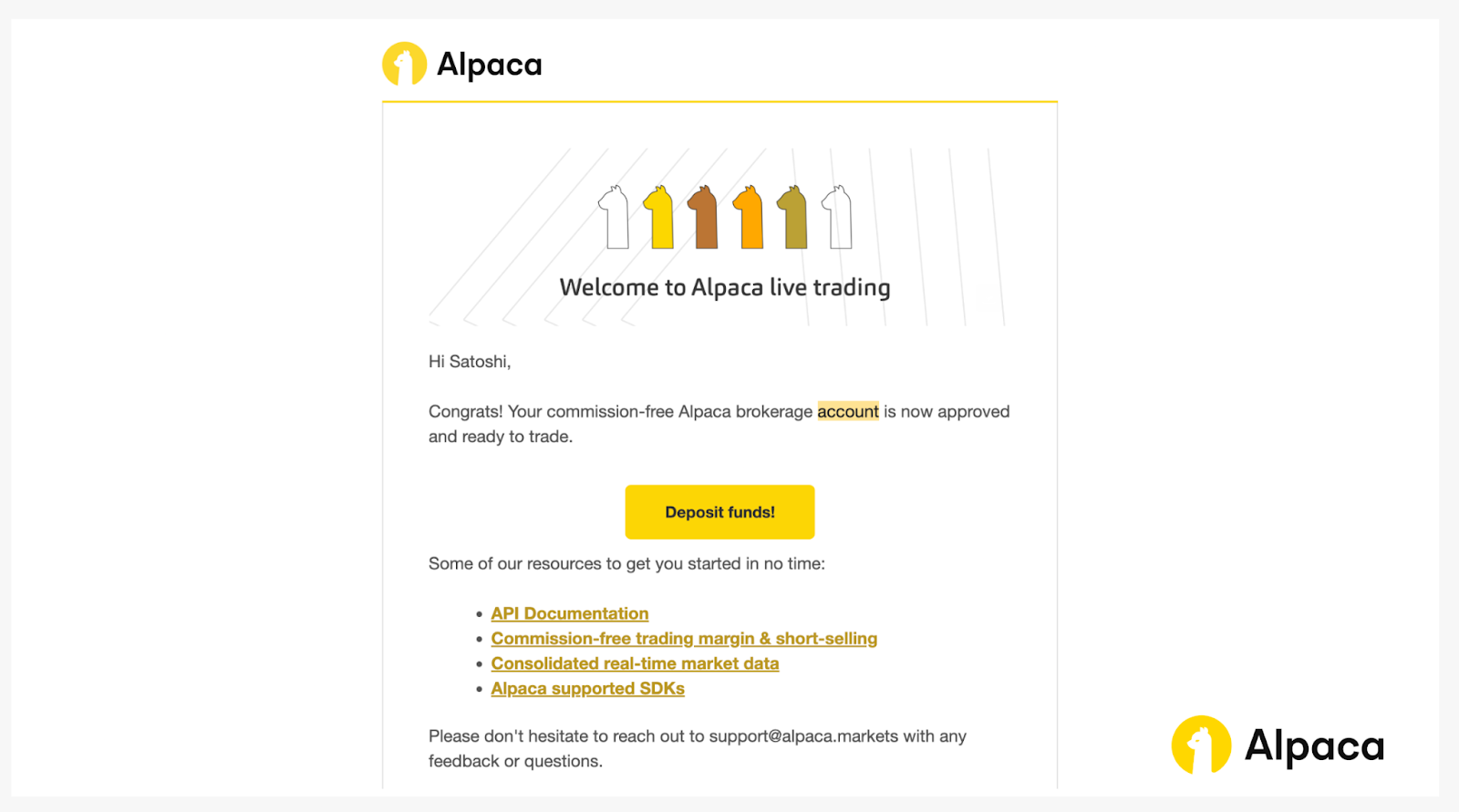
Once your application is approved, you will receive a notification email. You can begin the funding process by:
- Clicking the ‘Deposit funds’ button in the notification email.
- Navigating to the ‘Funds & Wallet’ tab on the left.
- Clicking the ‘Add Funds’ button on the top right.
For detailed instructions on depositing funds, see our article: How to Fund Your Alpaca's Live Trading Account.
Conclusion
You have successfully registered, activated, and funded your account, and are now ready to begin trading with Alpaca's Trading API.
If you’d like to learn more about Alpaca’s Trading API, explore the resources below:
Frequently Asked Questions
How do I register for Alpaca's Trading API account?
You can sign up on the Alpaca's Trading API signup page, confirm your email, and activate Multi-Factor Authentication (MFA). For a live trading account, you must also submit personal information and a government-issued ID for identity verification.
How to connect to Alpaca API?
Connecting to the Alpaca's Trading API is straightforward. Log in to your Alpaca account, switch to the Paper Trading account, generate your paper API keys, and if you use the Python SDK set paper=True when creating TradingClient.
Sign in at https://app.alpaca.markets/account/login and see the quick start at https://docs.alpaca.markets/docs/getting-started-with-trading-api
How to get Alpaca's paper Trading API key?
Create or sign in at https://app.alpaca.markets/account/login, select the Paper Trading account, then use the dashboard API Keys panel to generate and copy your Key and Secret.
Is Alpaca's Trading API free?
Alpaca offers commission-free* trading for eligible self-directed accounts that trade US-listed securities and options through the API. Regulatory and clearing fees may still apply. Fee details: https://alpaca.markets/disclosures/commission-fees Docs: https://docs.alpaca.markets/docs/trading-api
*Commission free trading is available to Alpaca's retail customers. Commission free trading means that there are no commission charges for Alpaca self-directed individual cash brokerage accounts that trade U.S.-listed securities and options through an API. However, certain arrangements with authorized business partners or the use of the Elite Smart Router as part of the Alpaca Elite offering may preclude commission free trades by Alpaca Securities. Please refer to the Brokerage Fee Schedule for more information. Relevant regulatory fees may apply. Alpaca reserves the right to charge additional fees if it is determined that order flow is non-retail in nature.
Please note that this article is for general informational purposes only and is believed to be accurate as of the posting date but may be subject to change. The examples above are for illustrative purposes only.
Alpaca and Tradingview are not affiliated and are not responsible for the liabilities of others.
The Paper Trading API is offered by AlpacaDB, Inc. and does not require real money or permit a user to transact in real securities in the market. Providing use of the Paper Trading API is not an offer or solicitation to buy or sell securities, securities derivative or futures products of any kind, or any type of trading or investment advice, recommendation or strategy, given or in any manner endorsed by AlpacaDB, Inc. or any AlpacaDB, Inc. affiliate and the information made available through the Paper Trading API is not an offer or solicitation of any kind in any jurisdiction where AlpacaDB, Inc. or any AlpacaDB, Inc. affiliate (collectively, “Alpaca”) is not authorized to do business.
Insights generated by our MCP server and connected AI agents are for educational/ informational purposes only and should not be taken as investment advice. Alpaca does not recommend any specific securities or investment strategies. Past performance from models does not guarantee future results. Please conduct your own due diligence before making any decisions. All firms mentioned operate independently and are not liable for one another
All investments involve risk, and the past performance of a security, or financial product does not guarantee future results or returns. There is no guarantee that any investment strategy will achieve its objectives. Please note that diversification does not ensure a profit, or protect against loss. There is always the potential of losing money when you invest in securities, or other financial products. Investors should consider their investment objectives and risks carefully before investing.
Options trading is not suitable for all investors due to its inherent high risk, which can potentially result in significant losses. Please read Characteristics and Risks of Standardized Options before investing in options.
Securities brokerage services are provided by Alpaca Securities LLC (dba "Alpaca Clearing"), member FINRA/SIPC, a wholly-owned subsidiary of AlpacaDB, Inc. Technology and services are offered by AlpacaDB, Inc.
Cryptocurrency services are provided by Alpaca Crypto LLC, a FinCEN-registered MSB (NMLS ID 2160858)
and is a subsidiary of AlpacaDB, Inc. Cryptocurrency assets are highly volatile and speculative, involving substantial risk of loss, and are not insured by the FDIC or any government agency. Customers should be aware of the various risks prior to engaging these services, including potential loss of principal, cybersecurity considerations, regulatory developments, and the evolving nature of digital asset technology. For additional information on the risks of cryptocurrency, please click here.
This is not an offer, solicitation of an offer, or advice to buy or sell securities or cryptocurrencies or open a brokerage account or cryptocurrency account in any jurisdiction where Alpaca Securities or Alpaca Crypto, respectively, are not registered or licensed, as applicable.sa