Alpaca’s Trading API, Trading MCP Server, Trading CLI, documentation give you multiple ways to build, test, and automate AI-powered trading applications with API resources that are easier to discover, keep current, and use with AI tools
AI tools are changing how people research markets, test ideas, and build trading applications. To support these workflows, builders need reliable access to market data, trading infrastructure, and documentation they can trust.
As the agent-first brokerage infrastructure for financial markets, Alpaca has recently expanded the Trading MCP Server and Trading CLI, added dedicated documentation for both tools, and introduced API changelogs to make it easier to track changes across Alpaca’s platform.
Together with Alpaca’s APIs, these tools give people more ways to build, test, and automate trading applications across AI assistants, terminals, and custom applications. We’ll continue sharing updates on new features, use cases, integrations, and documentation as these workflows evolve.
Multiple Ways to Build with Alpaca
People build with Alpaca in different ways. Some connect directly to the Trading API from applications, trading systems, dashboards, or internal tools. Others work with AI assistants through the Trading MCP Server, or automate repeatable tasks with the Trading CLI.
To support these different approaches, you can access Alpaca’s Trading and Market Data APIs in several ways.
The Trading API is designed for direct integrations, trading systems, applications, dashboards, and other programmatic workflows. It is the core DNA of Alpaca’s ecosystem. The Trading MCP Server connects AI assistants such as Claude, Cursor, VS Code, and other MCP-compatible clients to Alpaca’s trading and market data capabilities.
Alpaca's MCP Server exposes 65 tools across the Trading and Market Data APIs. Built from Alpaca’s published OpenAPI specifications, the MCP Server is designed to stay aligned with Alpaca’s API surface as specifications are updated.
The Trading CLI is a command-line tool that lets you access Alpaca’s Trading and Market Data APIs from a terminal, with structured output for scripts, CI pipelines, and repeatable workflows.
While all three connect to the same Alpaca infrastructure, each serves a different purpose. While people building applications typically work directly with the Trading API, AI assistants benefit from the structured tools and context provided by the MCP Server. Terminal-based tasks can use the CLI for actions that need to be scripted, logged, or integrated into automation pipelines.
New Documentation Now Available
To help you get started, Alpaca has published dedicated documentation for both the Trading MCP Server and Trading CLI. The new docs include setup guides, configuration details, authentication options, important risk considerations, and example projects for building with the Trading CLI and Trading MCP Server.
To get started with the Trading CLI and Trading MCP Server, see the documentation below:
Alpaca’s API documentation now includes an auto-generated API changelog, designed to keep you in the loop as Alpaca’s APIs evolve. The changelog surfaces relevant API updates from Alpaca’s specifications, making it easier to understand what changed, why it matters, and how updates may affect applications, automations, and AI-assisted workflows built on Alpaca.
Get Started
Whether you’re building with the Trading API, MCP Server, or CLI, getting started begins with an Alpaca Trading API account. Visit alpaca.markets to create an account or log in to an existing one.
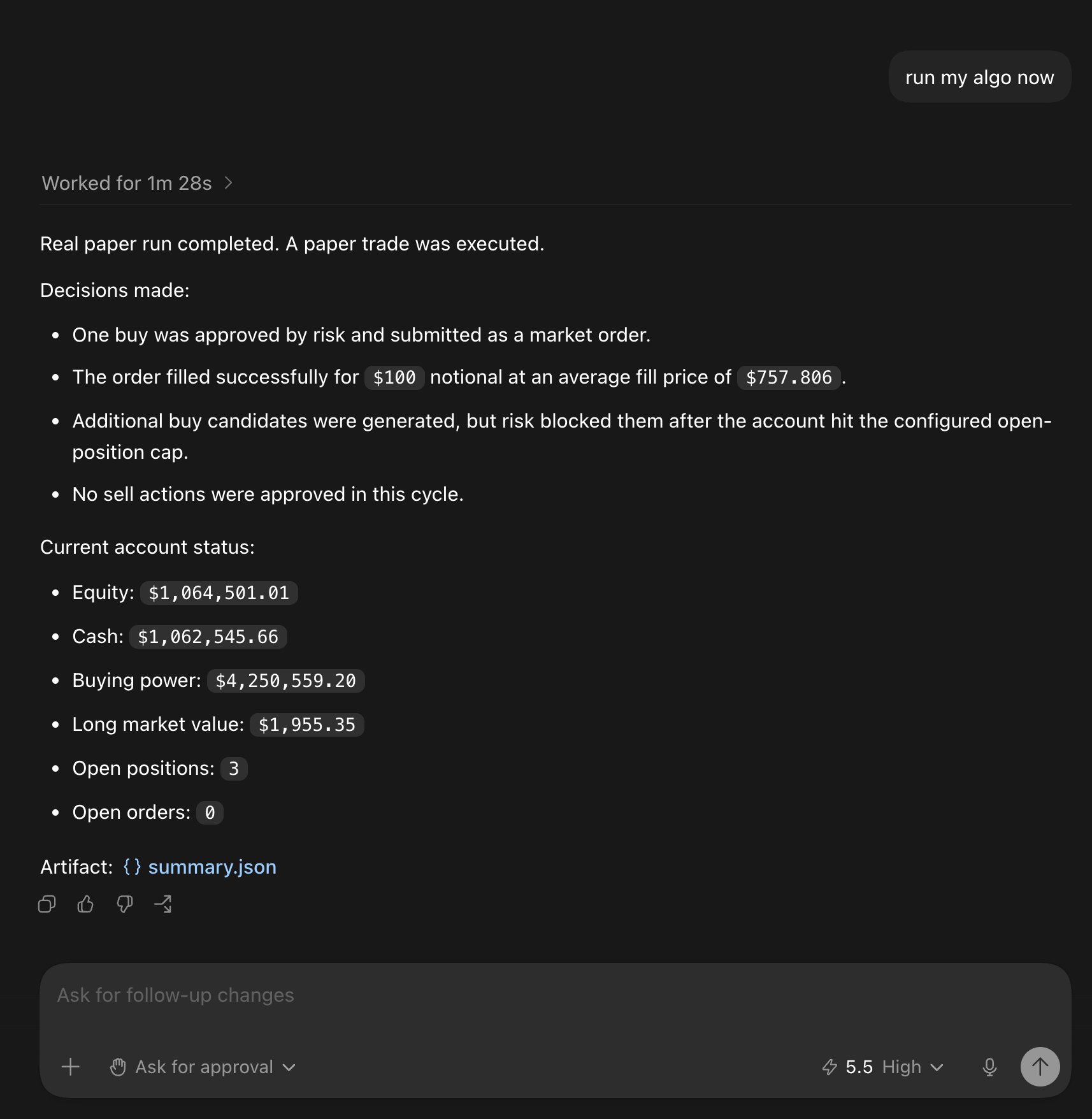
Have questions? Learn more in our API documentation or contact us at [email protected].
The content of this article, including any insights generated by our MCP Server, CLI and connected AI agents, is provided for informational and educational purposes only and should not be construed as investment, legal, or tax advice, or as a recommendation of any security or investment strategy. Alpaca does not recommend any specific securities or investment strategies. Any examples provided are illustrative only. Past performance, including model-generated analyses or outputs, does not guarantee future results. Please conduct your own due diligence before making investment decisions. All firms mentioned operate independently and are not liable for one another.
Options trading is not suitable for all investors due to its inherent high risk, which can potentially result in significant losses. Please read Characteristics and Risks of Standardized Options before investing.
All investments involve risk and the past performance of a security, financial product, investment strategy, or model-generated output does not guarantee future results or returns. There is no guarantee that any investment strategy will achieve its objectives. Diversification does not assure a profit or protect against loss. Investors should carefully consider their investment objectives and risks before investing.
AlpacaDB, Inc., the parent company of Alpaca Securities LLC (dba Alpaca Clearing)and Alpaca Crypto LLC, provides services and technology, including the brokerage infrastructure API supporting Alpaca’s financial services.
Securities brokerage services are provided by Alpaca Securities LLC (dba Alpaca Clearing), member FINRA/SIPC, a wholly-owned subsidiary of AlpacaDB, Inc. Technology and services are offered by AlpacaDB, Inc.
This is not an offer, solicitation of an offer, or advice to buy or sell securities or cryptocurrencies or open a brokerage account or cryptocurrency account in any jurisdiction where Alpaca Clearing or Alpaca Crypto, respectively, are not registered or licensed, as applicable.