A question you ask AI about a stock becomes more useful when you put it in the context of your own account: the cash available, the positions you already hold, and the orders still waiting to fill. Without that context, you are moving between a conversation and a dashboard to assemble the answer.
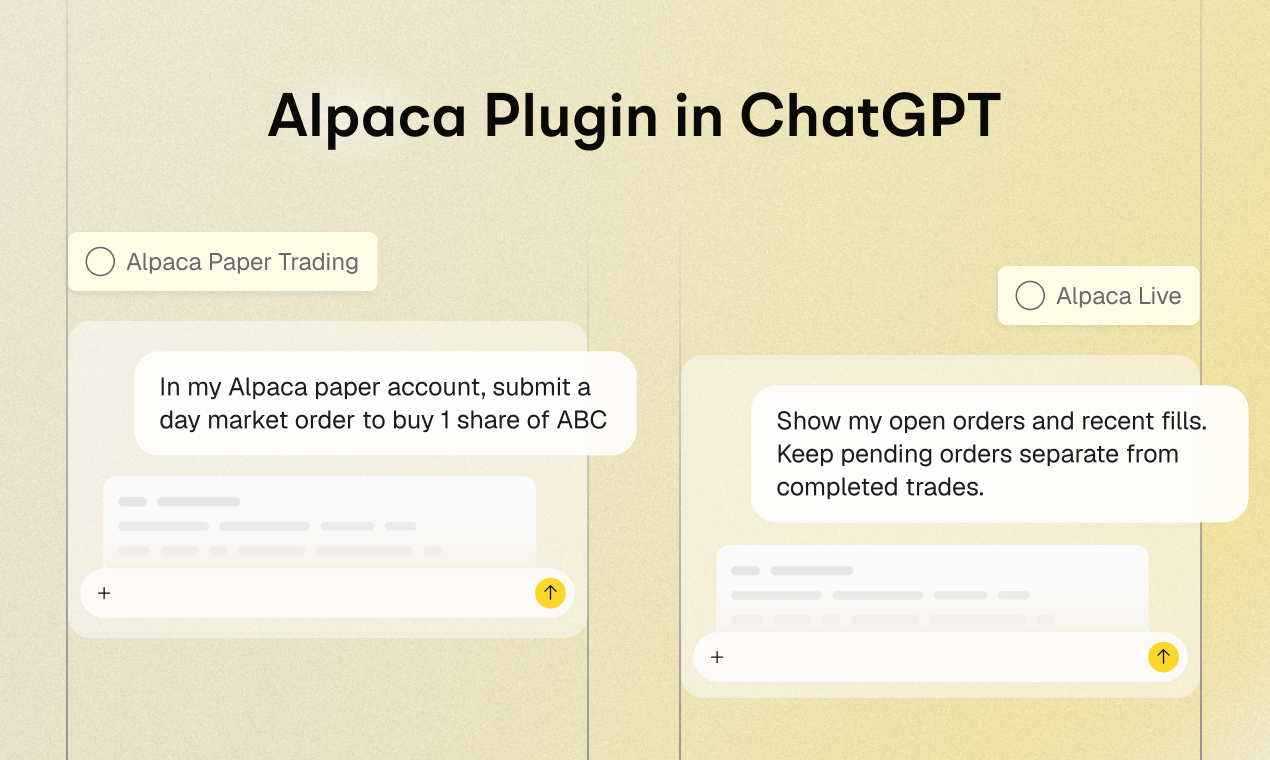
Our new plugins in ChatGPT aim to address this problem, combining natural language with your account context. The Alpaca Paper Trading plugin connects to your paper Trading API account and Market Data API, enabling you to analyze market trends, monitor your account, and place simulated trades across stocks, ETFs, options, and crypto using natural language. The Alpaca Live plugin connects to your live Trading API and Market Data API account for portfolio monitoring, market research, and account management.
Choosing Your Alpaca Plugin
Paper trading uses simulated funds with no real capital. The walkthrough below helps you practice the account-and-order workflow; it does not establish how a strategy would perform with real money.
*AI-generated responses may be inaccurate, incomplete, or outdated and should be independently reviewed before use. The plugins do not provide investment advice or recommendations. The Alpaca Live plugin cannot submit, modify, or cancel live orders.
Using the Alpaca Paper Trading Plugin
Start with an account check
Start a ChatGPT conversation with “Alpaca Paper Trading” to surface the plugin, then complete the Alpaca sign-in and authorization flow when prompted. To follow along with the prompts below, create an Alpaca paper account and connect to the Alpaca Paper Trading plugin.
An example of what your first prompt can look like:
Alpaca Paper Trading: Show my Alpaca paper account balance, buying power, and account status.
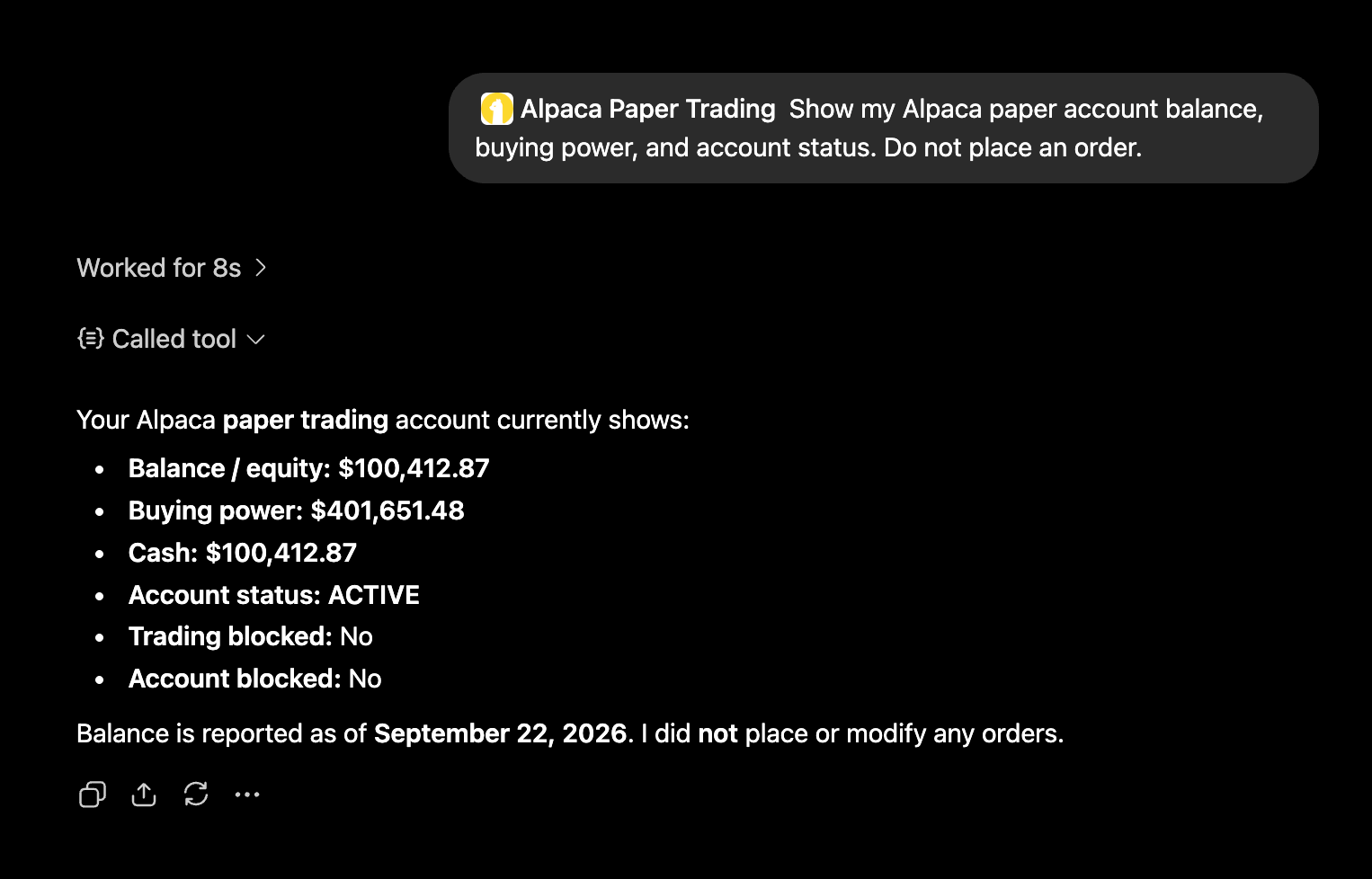
Illustrative paper-trading example. Values shown are simulated and are not indicative of actual account results.
Compare the response with the paper account in your Alpaca dashboard. Buying power tells you what the account can use for orders under its current limits.
If the account or balances do not match, resolve the connection before proceeding. If you have multiple paper accounts, confirm which account you’ve connected. If the mismatch persists, contact Alpaca Support rather than using an order to test the connection.
Submit a paper order, then check its status
Once you have verified the account, try submitting a simulated order. Just replace the “ABC” placeholder text with the symbol you wish to use for this simulated demonstration.
Alpaca Paper Trading: In my Alpaca paper account, submit a day market order to buy 1 share of ABC. Show the order ID and current status returned by Alpaca.
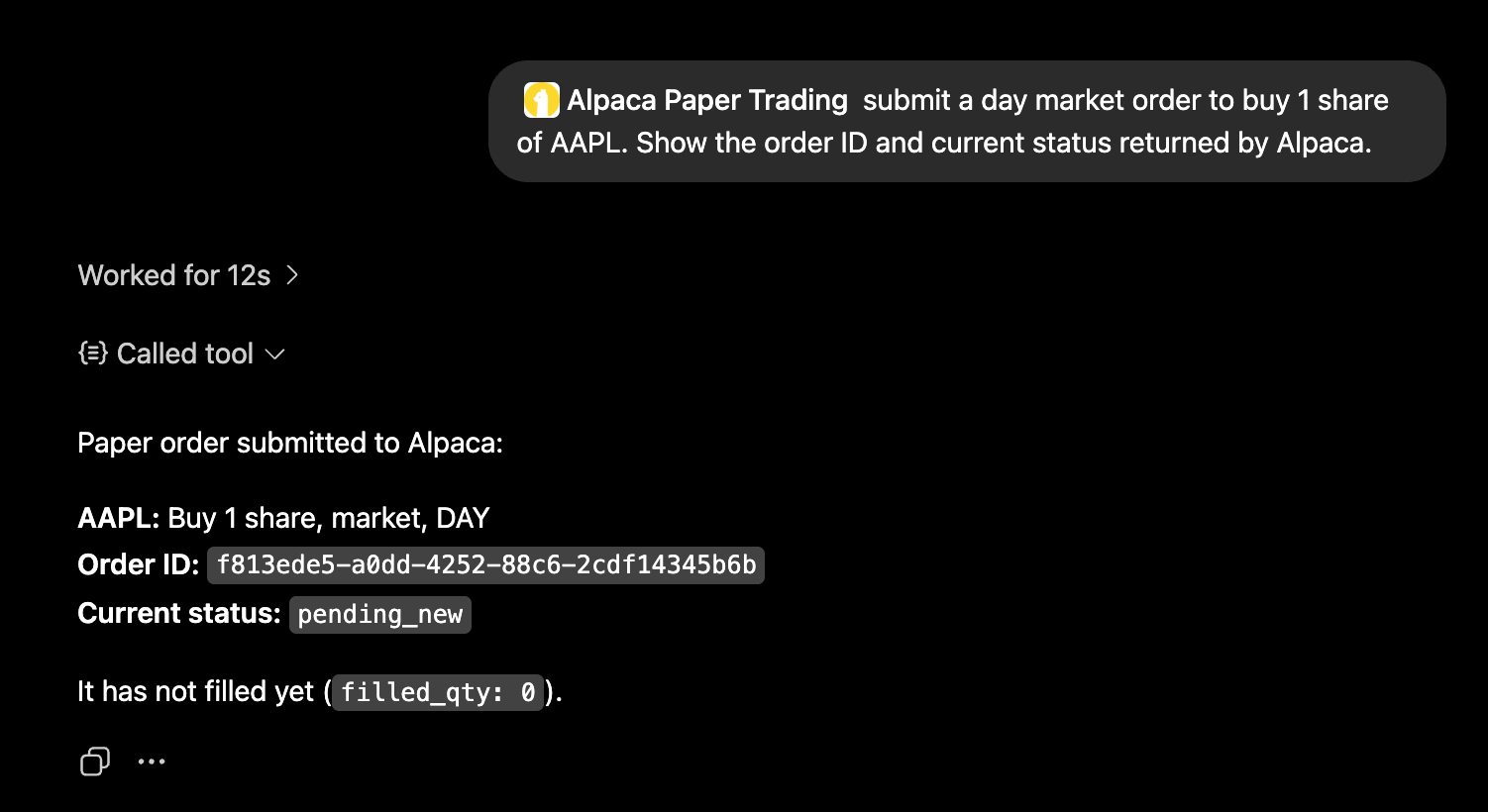
Read the response before taking another action. An order acknowledgment does not establish that the order has been filled.
Then ask:
Retrieve the current status of that paper order. Show the filled quantity and average fill price if available, then refresh my paper positions and buying power.
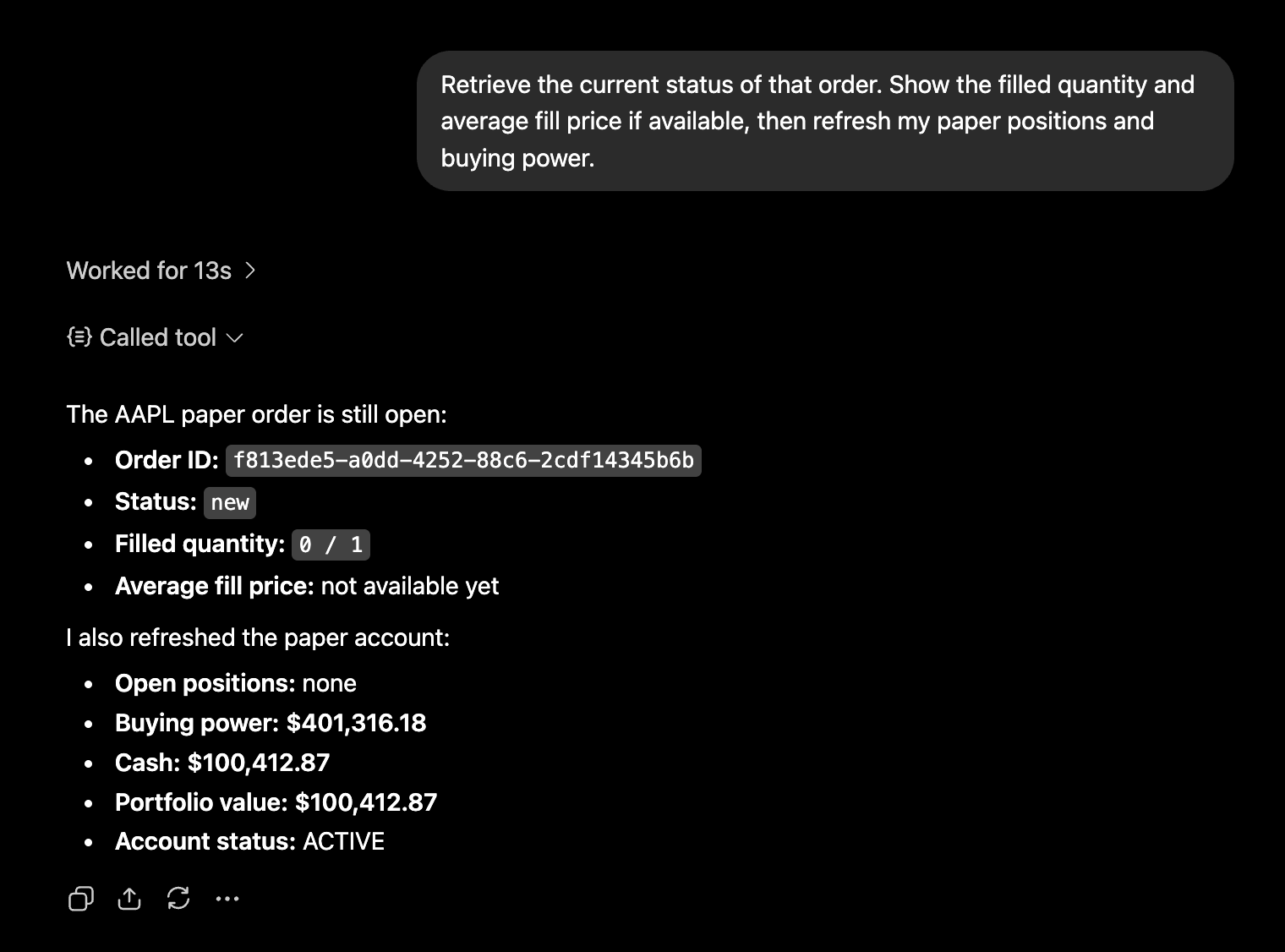
Illustrative paper-trading example. Values and positions shown are simulated and are not indicative of actual results.
The distinction matters when an order remains open, fills partially, or is rejected. Inspect the returned status and any rejection message instead of assuming that a conversational confirmation means the position changed.
Using the Alpaca Live Plugin
Find the Alpaca Live plugin in the plugin directory, or start a ChatGPT conversation with “Alpaca Live” to surface the plugin and complete the Alpaca sign-in and authorization flow for your live account.* Learn more about how to open a live account as a non-US resident or as a US resident.
Start by checking your balances and positions:
Alpaca Live: Summarize my live Alpaca account balances, buying power, and open positions. Include the retrieval time and identify any information you could not retrieve.
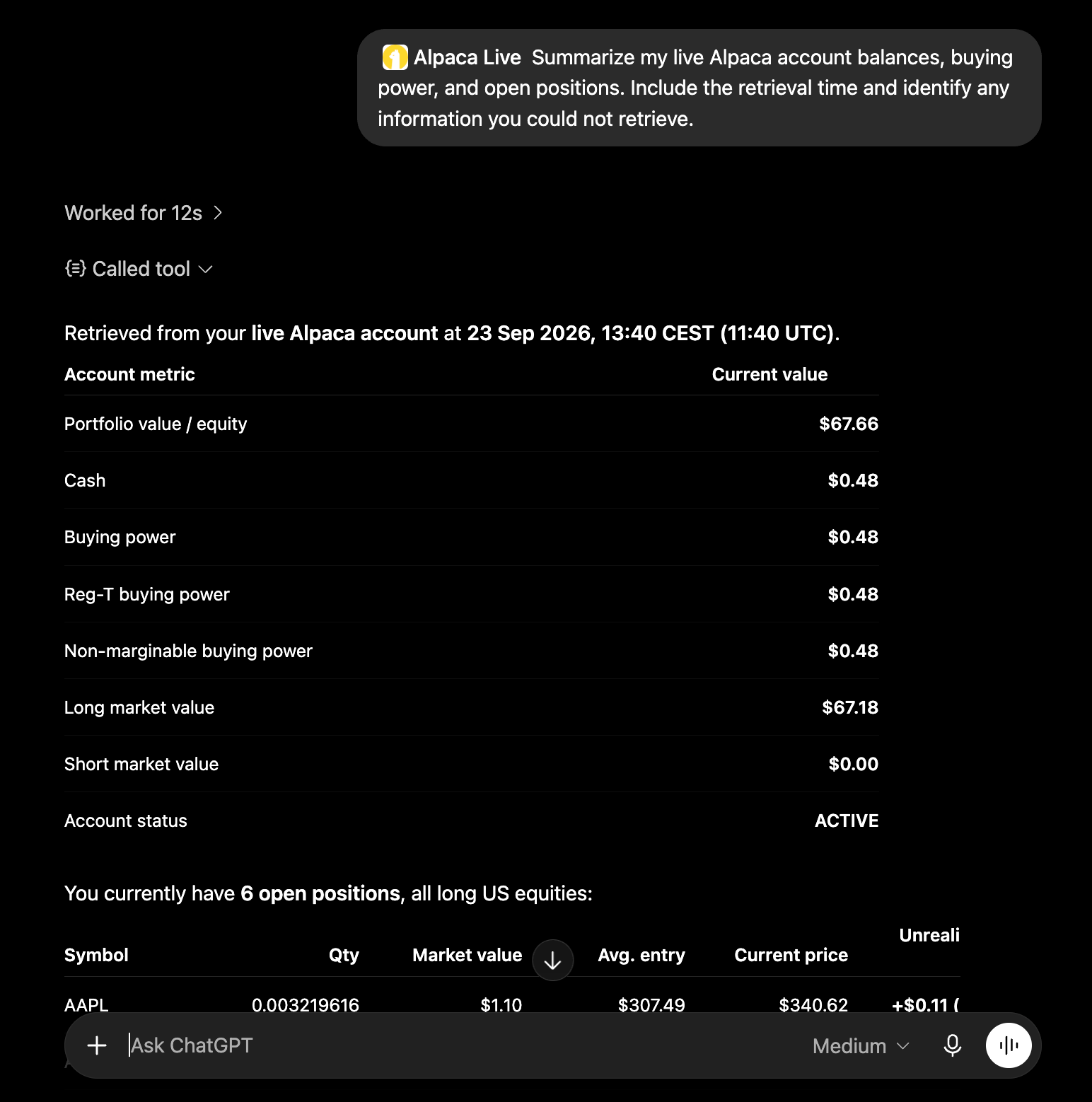
A follow-up can narrow the view:
Alpaca Live: Show my open orders and recent fills. Keep pending orders separate from completed trades.
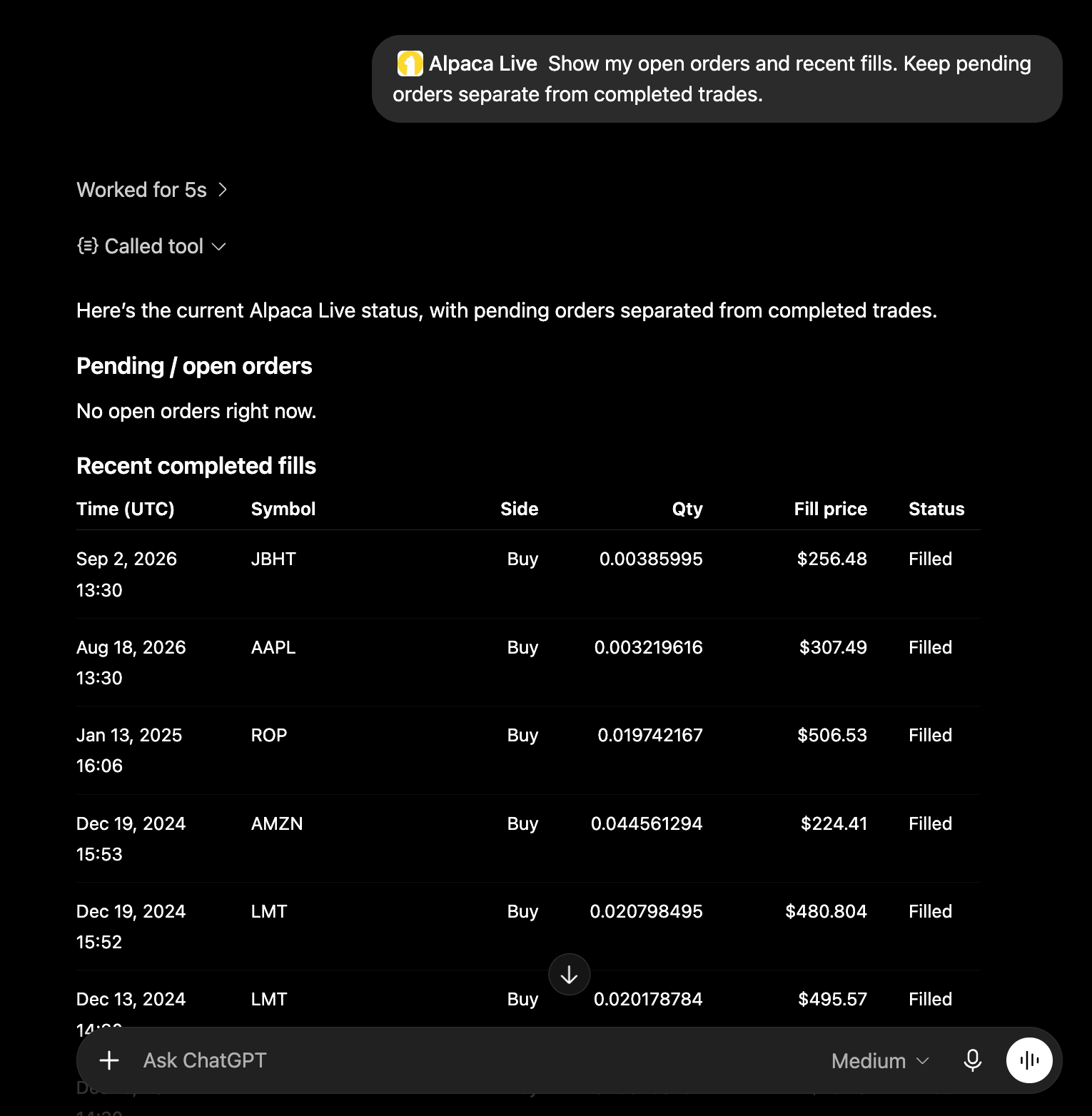
Note: The Alpaca Live plugin does not place orders. You must use Alpaca's Trading API or Dashboard for live execution.
Know what the connection can return
Account access, market data access, and order execution are separate checks. A successful balance request does not establish that every symbol, data feed, or asset class is available.
If a Market Data request fails, inspect the returned message and your data entitlements (such as checking whether your account uses free basic data or a paid Algo Plus Trader subscription) before changing the prompt. For options or crypto requests, confirm both account eligibility and support in the plugin's published listing. Reconnecting alone may not resolve a missing permission or unsupported tool.
Paper trading has its own limits. Alpaca's paper trading documentation lists factors the simulation does not model, including market impact, price slippage due to latency, order queue position, and regulatory fees. A completed paper order demonstrates the simulated workflow. It does not predict a live fill.
Try your first paper order
Get started with the Alpaca Paper Trading plugin, verifying connection with an account check. Once complete, submit one simulated order, and follow its status through to the result. That gives you an account record to inspect alongside the conversation.
If your goal is live portfolio visibility, use the Alpaca Live plugin. If you need to build and control a programmatic workflow, explore Alpaca's Trading API documentation and developer resources below.
Related resources
- How to Start Paper Trading Alpaca’s Trading API
- Paper Trading vs Live Trading
- API Key Security Best Practices for Alpaca Builders
- Alpaca's MCP Server
- Alpaca's CLI
- Contact Alpaca Support
*When you authorize the Alpaca Live plugin, it may access the account information needed to respond to your requests, including balances, positions, orders, fills, and applicable market data. Information made available through the connection may be processed by OpenAI under its applicable terms and privacy policy. Review the requested permissions before authorizing access and revoke access when it is no longer needed.
Information and outputs generated through Alpaca’s plugins, MCP Server, or connected AI agents are provided for educational and informational purposes only and do not constitute investment advice or a recommendation to buy, sell, or hold any security. AI-generated responses may be inaccurate, incomplete, or outdated and should be independently reviewed before use. The plugins do not provide investment advice or recommendations. The Alpaca Live plugin is read-only and cannot submit, modify, or cancel live orders. Alpaca does not recommend any specific security, or investment strategy. Users should conduct their own due diligence before making investment decisions.
ChatGPT is provided by OpenAI. Alpaca provides the connected account capabilities described in this article. OpenAI and Alpaca are independent companies and are responsible for their respective products and services.
The Paper Trading API is offered by AlpacaDB, Inc. and does not require real money or permit a user to transact in real securities in the market. Providing use of the Paper Trading API is not an offer or solicitation to buy or sell securities, securities derivative or futures products of any kind, or any type of trading or investment advice, recommendation or strategy, given or in any manner endorsed by AlpacaDB, Inc. or any AlpacaDB, Inc. affiliate. Information made available through the Paper Trading API is not an offer or solicitation of any kind in any jurisdiction where AlpacaDB, Inc. or any AlpacaDB, Inc. affiliate is not authorized to do business.
All investments involve risk, including the possible loss of principal. Past performance does not guarantee future results, and there is no guarantee that any investment strategy will achieve its objectives. Any symbols or examples shown are for demonstration purposes only and do not constitute investment advice or a recommendation to buy or sell any security.
Securities brokerage services are provided by Alpaca Securities LLC (dba "Alpaca Clearing"), member FINRA/SIPC, a wholly-owned subsidiary of AlpacaDB, Inc. Technology and services are offered by AlpacaDB, Inc.
Cryptocurrency services are made available by Alpaca Crypto LLC ("Alpaca Crypto"), a FinCEN registered money services business (NMLS # 2160858), Alpaca Crypto is not a member of SIPC or FINRA. Cryptocurrencies are not stocks and your cryptocurrency investments are not protected by either FDIC or SIPC. Please see the Disclosure Library for more information.
This is not an offer, solicitation of an offer, or advice to buy or sell securities or cryptocurrencies or open a brokerage account or cryptocurrency account in any jurisdiction where Alpaca Securities or Alpaca Crypto, respectively, are not registered or licensed, as applicable.