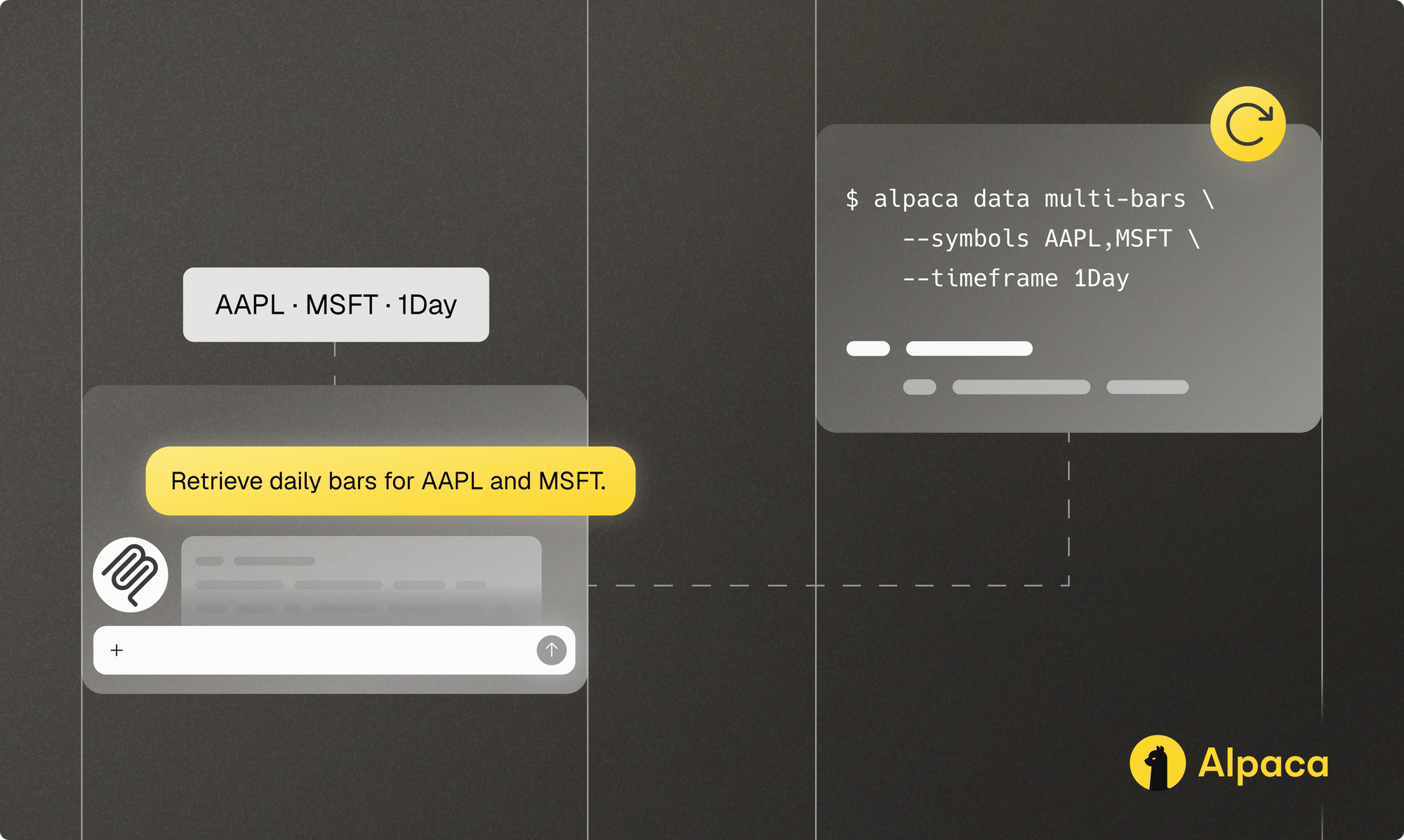
“How did AAPL and MSFT trade over five completed sessions?” works as the start of a conversation. To run the same check tomorrow, we need a little more: the sessions to include, the feed to use, and a way to tell whether the response is complete.
Working through those questions is part of developing the request. Alpaca’s MCP server makes the data tools available in an AI client through the Model Context Protocol (MCP), where you can examine an answer and ask a follow-up. The Alpaca Command Line Interface (CLI) puts the same inputs into a command that a person, script, or agent can run. A workflow can use both as the question becomes clearer.
We’ll follow one read-only Alpaca Market Data API request through both routes. A conversation helps settle the question, and a command carries the agreed inputs into the next run. An IDE can host the AI client, while an application can orchestrate either MCP or CLI. For a direct integration in code, use Alpaca’s Market Data API or a market-data client from the Alpaca SDKs.
Key takeaways
- Choose the interface around the work. MCP keeps data tools close to a conversation, while the CLI makes a request explicit in a command. An agent or application can use either.
- Carry the same request and checks between them. Match the symbols, sessions, feed, and adjustment settings, then verify coverage and pagination before comparing results.
- Keep responsibility with the application. Approval, retained evidence, monitoring, and recovery need explicit owners whichever interface carries the request.
Choose the interface that fits the work
| Surface | Use it when | It gives you | What to define |
|---|---|---|---|
| Alpaca’s MCP server | The question is still evolving, or the next step depends on what you find. | Alpaca tools in a supported AI client, contextual follow-up, and structured results. | Which tools the client can call, how arguments are reviewed, and where results are retained. |
| Alpaca CLI | The request is defined and needs to be inspected, replayed, piped, scheduled, or tested. | An explicit command, JSON output, and an exit state. | The inputs, expected output, environment, and failure checks. |
| Alpaca’s MCP server and Alpaca CLI | Conversation helps define the request, and a command helps repeat it. | A conversational path for refinement and a terminal artifact for repetition. | The request parameters and completion checks shared by both routes. |
| Alpaca’s Market Data API and SDKs | You want a direct integration in application code. | Direct API access or a language-specific client for the application to orchestrate. | Authentication, state, policy, retries, monitoring, and lifecycle ownership. |
Follow one Alpaca Market Data API request
Take AAPL and MSFT over five completed trading sessions. We use a fixed historical window so both interfaces can be checked against the same sessions. The dates below belong to that example, rather than the current trading week.
We’ll retrieve daily bars and compare each session’s open, high, low, close, and volume. Both routes explicitly set currency=USD and the same asof date for symbol mapping. The asof date identifies the underlying entity through name changes. It does not select a historical revision of the data. The remaining request parameters are below.
AAPL and MSFT are referenced solely for educational and illustrative purposes and do not constitute investment advice or a recommendation to buy, sell, or hold any security.
| Request parameter | Value |
|---|---|
| Symbols | AAPL, MSFT |
| Timeframe | 1Day |
| Start | 2026-07-20T00:00:00Z |
| End | 2026-07-24T23:59:59Z |
| Adjustment mode | raw |
| Market Data feed | iex |
| Sort order | asc |
| Limit value | 10 |
The CLI’s --limit sets a maximum page size. The MCP tool’s limit caps the total response across symbols. Ten rows are enough only if they cover both symbols and all five expected sessions. The historical bars API sorts by symbol before timestamp, so the first page can contain only AAPL. Check the timestamps, OHLCV fields, and next_page_token before treating the comparison as complete.
If the response includes next_page_token, the CLI can continue with --page-token. The MCP tool shown here has no page-token input in Alpaca’s MCP server 2.3.2. If more data remains, keep the result marked incomplete and use a route that supports continuation.
Retain the query, raw responses, retrieval time, and any error response.
Your Alpaca Market Data API subscription determines which feeds are available. This example uses IEX, a single exchange, so its prices and volumes can differ from SIP’s consolidated feed. Keep the feed and retrieval time with the result.
Alpaca MCP server path: develop the question in context
Before starting, confirm that your AI client exposes get_stock_bars from Alpaca’s Trading API MCP server. The connection owner is responsible for credentials, tool exposure, environment selection, and secret handling.
A local route lets a supported AI client launch Alpaca’s MCP server on your machine. This guide uses the Trading API MCP server locally.
A remotely hosted Trading API MCP server must follow the AI host’s connector model.
The deploying organization owns hosting, transport security, authentication, secrets, availability, observability, and client compatibility.
With that connection in place, copy this prompt into your AI assistant:
Retrieve daily bars for AAPL and MSFT from July 20 through July 24, 2026, using the IEX feed, raw adjustment, ascending order, and a total limit of 10. Set currency=USD and asof=2026-09-05. Keep the task read-only. Show the tool and arguments when preview is available. Compare OHLCV, identify missing sessions, and retain all request parameters with the result.For setup, see connecting Alpaca’s MCP server to Claude or Cursor. For a first-result walkthrough, see researching with the Alpaca Market Data API through Alpaca’s MCP server.
The intended MCP call has this tool name and argument object. Check the call formed by your client against it:
{
  "name": "get_stock_bars",
  "arguments": {
    "symbols": "AAPL,MSFT",
    "timeframe": "1Day",
    "start": "2026-07-20T00:00:00Z",
    "end": "2026-07-24T23:59:59Z",
    "limit": 10,
    "adjustment": "raw",
    "feed": "iex",
    "sort": "asc",
    "asof": "2026-09-05",
    "currency": "USD"
  }
}
If your client shows a preview, review the selected tool and arguments before you run it. Save the structured result with the request parameters so you can check missing sessions, compare later results, or refine the query without losing the original context.
Alpaca CLI path: make the procedure explicit
Once the question has become a settled request, use an installed and authenticated Alpaca CLI to inspect its inputs and flags with --help, then inspect the expected response with --schema:
alpaca data multi-bars --help
alpaca data multi-bars --schema
Then run the bounded request:
alpaca data multi-bars \
  --symbols AAPL,MSFT \
  --timeframe 1Day \
  --start 2026-07-20T00:00:00Z \
  --end 2026-07-24T23:59:59Z \
  --adjustment raw \
  --feed iex \
  --asof 2026-09-05 \
  --currency USD \
  --sort asc \
  --limit 10
A successful exit indicates that the command completed without a reported execution error but does not necessarily confirm that all expected data was returned. Your own checks still need to establish that both symbols and all expected sessions are present. The command returns JSON by default. Keep the active profile and data endpoint with the result.
What the saved responses showed
The saved verification responses contained five daily bars for each symbol, with every requested OHLCV field and a null next_page_token. REST, the CLI collector, and a programmatic MCP client returned matching underlying bar data for the request above. The collector used alpaca api GET /v2/stocks/bars --use-data-api with the same query parameters to preserve the raw JSON types. Its evidence therefore covers that route, while the typed multi-bars command above provides the more convenient interactive form.
Pagination checks exposed a useful difference. A separate CLI check, without explicit currency or asof values, followed four pages to recover all ten rows at a page limit of three. The MCP three-row call returned three AAPL bars and a continuation token, with no page-token input in its schema. A successful call had produced an incomplete comparison.
These results show what the programmatic MCP client returned. The AI client you use will determine how the call is selected, reviewed, and presented.
Save the response or add assertions before placing the command in a script or scheduled job. For installation, profiles, output handling, paper configuration, order preview, and recovery, see the Alpaca CLI preview.
Compare the work across interfaces
The underlying request can stay the same while the way you work with it changes. In an AI client, the result sits beside the question and its follow-ups. In the terminal, the command and saved JSON let a person or process inspect, test, and repeat the request.
| Workflow moment | Alpaca’s MCP server | Alpaca CLI |
|---|---|---|
| Discover capability | Your AI client discovers the tools exposed by the connection. | You inspect command help and the response schema in the terminal. |
| Form the operation | The model maps the request to a tool call. | You, an agent, or a script supplies explicit flags. |
| Review before execution | Your client may present the tool call before execution. | The command is the reviewable artifact. |
| Receive the result | Structured output returns to the conversation for inspection. | JSON returns through stdout with an exit status. |
| Continue the work | You can interpret the result and continue in the same conversation. | You or a process can store, test, or replay it. |
| Repeat reliably | Record the prompt, tool name, arguments, client policy, and raw result. | Record the command, active environment, raw result, and assertions. |
Keep this comparison read-only
Alpaca’s MCP server can also access account data and submit orders through the Trading API. Extending the market-data walkthrough to those operations requires explicit authority, approval, and recovery rules.
Toolset filtering narrows the tools exposed to a client. Credentials, account permissions, and API rules determine what a request can do. The client or governing application must provide approval, persistence, audit, monitoring, and recovery.
Make paper routing explicit before adding order tools. For the MCP server, set ALPACA_PAPER_TRADE=true. The server accepts true, 1, or yes case-insensitively. Other supplied values, including values with surrounding whitespace, select live. Validate configuration values before starting the server.
For the CLI, set ALPACA_LIVE_TRADE=false for paper work. A nonempty value overrides the profile: trimmed, case-insensitive true selects live and other nonempty values select paper. With the variable absent or empty, credentials drawn from a profile can use its live setting. Check the resolved endpoint and account before any mutating request. Market Data uses a separate endpoint, with feed permissions independent of paper or live Trading API routing.
Keep the evidence portable
Save enough detail to repeat the request and explain the result. Keep the connection route, package versions, exact inputs, feed entitlement, tool or command, raw response, retrieval time, interpretation, and any recovery decision. A later run can return revised data, so preserve the original response as well as the command.
Record the currency and the date used for symbol mapping when you make the request reusable. Defaults can affect what a later request returns, especially when a ticker has changed. The mapping date controls symbol identity. Historical corrections and point-in-time data availability require separate treatment.
Try the request with Alpaca
Try the same market-data question through the interface that fits your workflow. Keep the symbols, sessions, feed, and request settings fixed so you can compare the returned records.
- Continue the conversation. Follow the MCP server setup guide and inspect the proposed market-data call.
- Repeat the command. Use the Alpaca CLI guide to save a request you can run again.
- Check the returned fields. The historical bars reference explains the parameters and response used in the comparison.
If you’re setting up access for the first time, create an account and follow the Market Data API guide.
Disclosures
The content of this article is for general informational and educational purposes only. All examples, including references to specific securities, are for illustrative purposes only and do not constitute investment advice or a recommendation to buy, sell, or hold any security. Alpaca does not recommend any specific securities or investment strategies.
Information and outputs generated through Alpaca’s CLI, MCP Server, or connected AI agents are provided for educational and informational purposes only. AI-generated outputs may contain errors, omissions, inaccuracies, or outdated information and should be independently reviewed and verified before being relied upon for investment decisions or trading activity. Users should conduct their own due diligence before making investment decisions.
AI-assisted and automated trading workflows involve risks, including inaccurate or unintended instructions, programming errors, API connectivity issues, system outages, and unintended order execution. These risks may result in financial losses. Automated checks, testing, and risk controls cannot guarantee the prevention of errors or losses. Users should verify their account credentials, permissions, and selected trading environment before enabling order-related functionality.
The Paper Trading API is offered by AlpacaDB, Inc. and does not require real money or permit a user to transact in real securities in the market. Providing use of the Paper Trading API is not an offer or solicitation to buy or sell securities, securities derivative or futures products of any kind, or any type of trading or investment advice, recommendation or strategy, given or in any manner endorsed by AlpacaDB, Inc. or any AlpacaDB, Inc. affiliate and the information made available through the Paper Trading API is not an offer or solicitation of any kind in any jurisdiction where AlpacaDB, Inc. or any AlpacaDB, Inc. affiliate (collectively, “Alpaca”) is not authorized to do business.
References to third-party products, platforms, or services are for informational purposes only and do not constitute an endorsement or recommendation by Alpaca. Unless otherwise stated, third-party providers are not affiliated with Alpaca and are responsible for their respective products and services.
All investments involve risk, including the potential loss of principal. Past performance does not guarantee future results. Investors should carefully consider their investment objectives and risks before investing.
Securities brokerage services are provided by Alpaca Securities LLC (dba "Alpaca Clearing"), member FINRA/SIPC, a wholly-owned subsidiary of AlpacaDB, Inc. Technology and services are offered by AlpacaDB, Inc.
This is not an offer, solicitation of an offer, or advice to buy or sell securities or open a brokerage account in any jurisdiction where Alpaca Securities is not registered or licensed, as applicable.